

Chengran (Felix) Guan
April 17, 2026 · 4 min read
Best AI Video Editors for Real Estate Industry in 2026
AI video editing has exploded in 2026, giving real estate professionals more options than ever. But with so many tools on the market, the real question is: which one actually understands real estate?
Whether you're a real estate photographer producing listing videos, a media company serving dozens of agents, or a broker who wants polished video content without hiring a full editing team, choosing the right tool can save you thousands of dollars and hundreds of hours every month.
We evaluated four of the most talked-about AI video tools in the industry: Google Veo, Adobe Firefly, CapCut, and VideoGuru AI. Here's an honest breakdown of each.
Google Veo
Google Veo is Google's AI video generation model, available through Google AI Studio and the Gemini ecosystem. It excels at generating short video clips from text or image prompts with impressive visual fidelity, and it benefits from Google's massive infrastructure for fast processing.
Strengths: High-quality AI-generated footage, strong motion understanding, access via familiar Google ecosystem.
Limitations for real estate: Veo is a generation tool, not an editing tool. It creates new footage from prompts rather than editing your existing property clips. There's no timeline, no brand kit, no transitions library, and no support for importing your actual walkthrough footage. You'd still need a separate editor to assemble a final listing video. AI-generated property interiors can also introduce hallucinated details — furniture that doesn't exist, rooms with incorrect layouts — which is a serious concern for real estate where accuracy is non-negotiable.
Adobe Firefly
Adobe Firefly brings generative AI capabilities into the Adobe Creative Cloud ecosystem. For video, Firefly's AI features are integrated into Premiere Pro, offering tools like AI-powered scene detection, auto-captioning, and generative extend to fill gaps in footage.
Strengths: Professional-grade output, deep integration with Premiere Pro and After Effects, powerful color grading and audio tools, industry standard for post-production.
Limitations for real estate: Adobe's creative suite is designed for professional video editors, not real estate agents or photographers who need fast turnaround. The learning curve is steep, subscription costs are high ($60+/month for the full suite), and there are no real-estate-specific features like property intro/outro templates, listing-optimized aspect ratios, or one-click effects designed for property tours. For real estate professionals, the per-video time investment is still substantial.
CapCut
CapCut (by ByteDance) is a beginner-friendly video editor that's become hugely popular for social media content. It offers AI features like auto-captions, background removal, and a large template library with trendy effects and transitions.
Strengths: Free tier available, easy to learn, large template library, strong auto-caption feature, built for short-form social media content.
Limitations for real estate: CapCut is a general-purpose consumer editor. Its templates are designed for lifestyle, beauty, and entertainment content — not property marketing. There's no real estate brand kit system, no MLS-optimized export settings, no property-specific viral effects (like twilight conversion or virtual staging), and no integration with real estate workflows like Dropbox or Zillow. For high-volume production, you're starting from a blank timeline every time.
VideoGuru AI
VideoGuru AI is the only tool on this list built exclusively for real estate video. It's a vertical SaaS platform designed for real estate photographers, media companies, and agents who need professional listing videos without the complexity of traditional editing software.
Strengths:
- End-to-end AI editing: Works with both raw video clips and listing photos. Upload your footage, and AI handles scene selection, pacing, speed ramps, and assembly automatically.
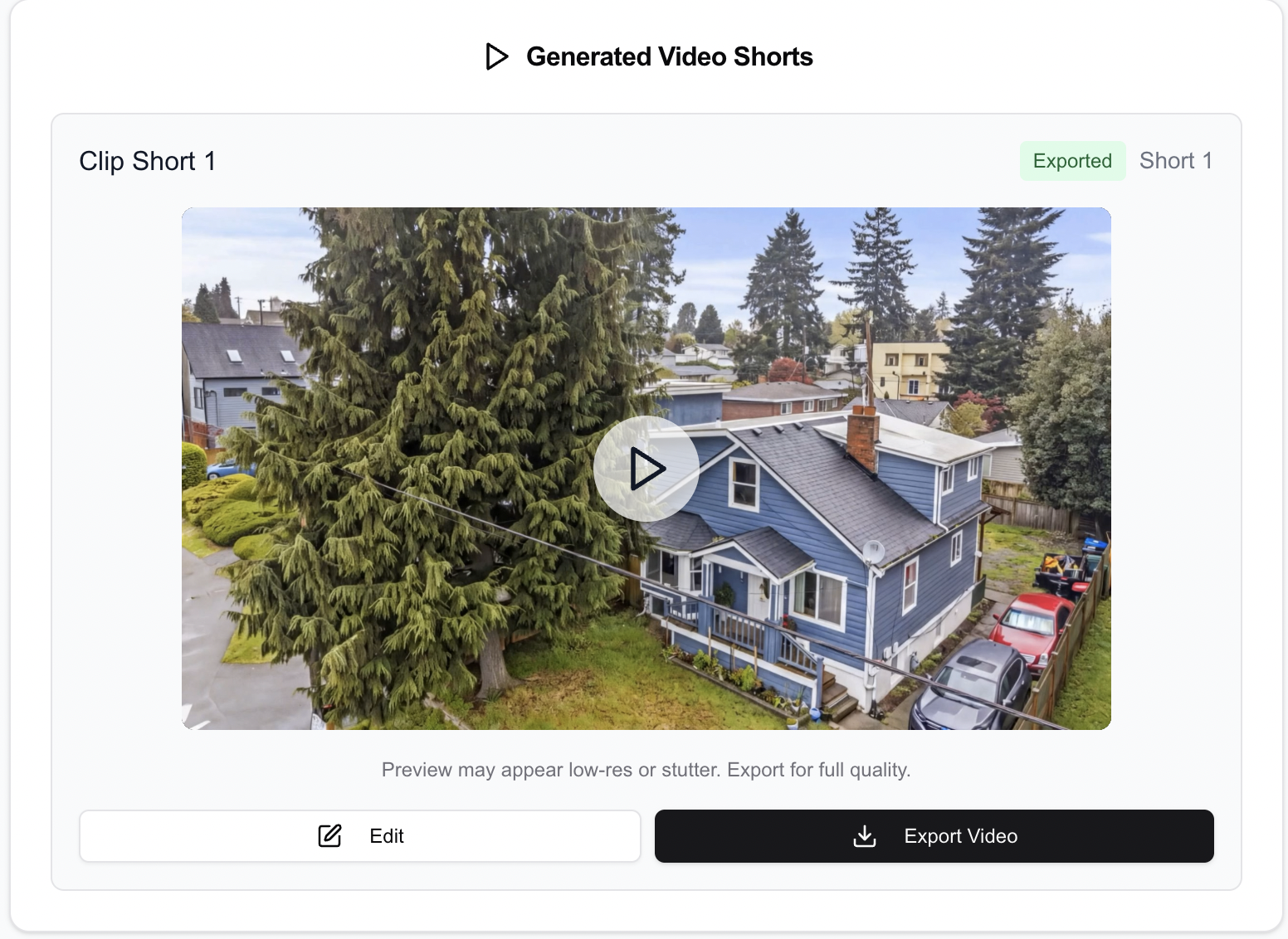
VideoGuru's AI editor — from raw clips to polished video in minutes
- Real estate effect library: Purpose-built transitions, speed ramps, and music curated specifically for property videos — not repurposed from entertainment templates.
- viral effects without hallucination: One-click effects like Twilight, Virtual Staging, and Renovation use advanced guardrails to prevent AI from generating inaccurate property details. What you see is what the property actually looks like, enhanced.

One-click viral effects: Twilight, Virtual Staging, Renovation, and more
- Brand kit system: Save your brokerage or company branding — logos, fonts, colors, intro/outro templates — and apply them consistently across every video.
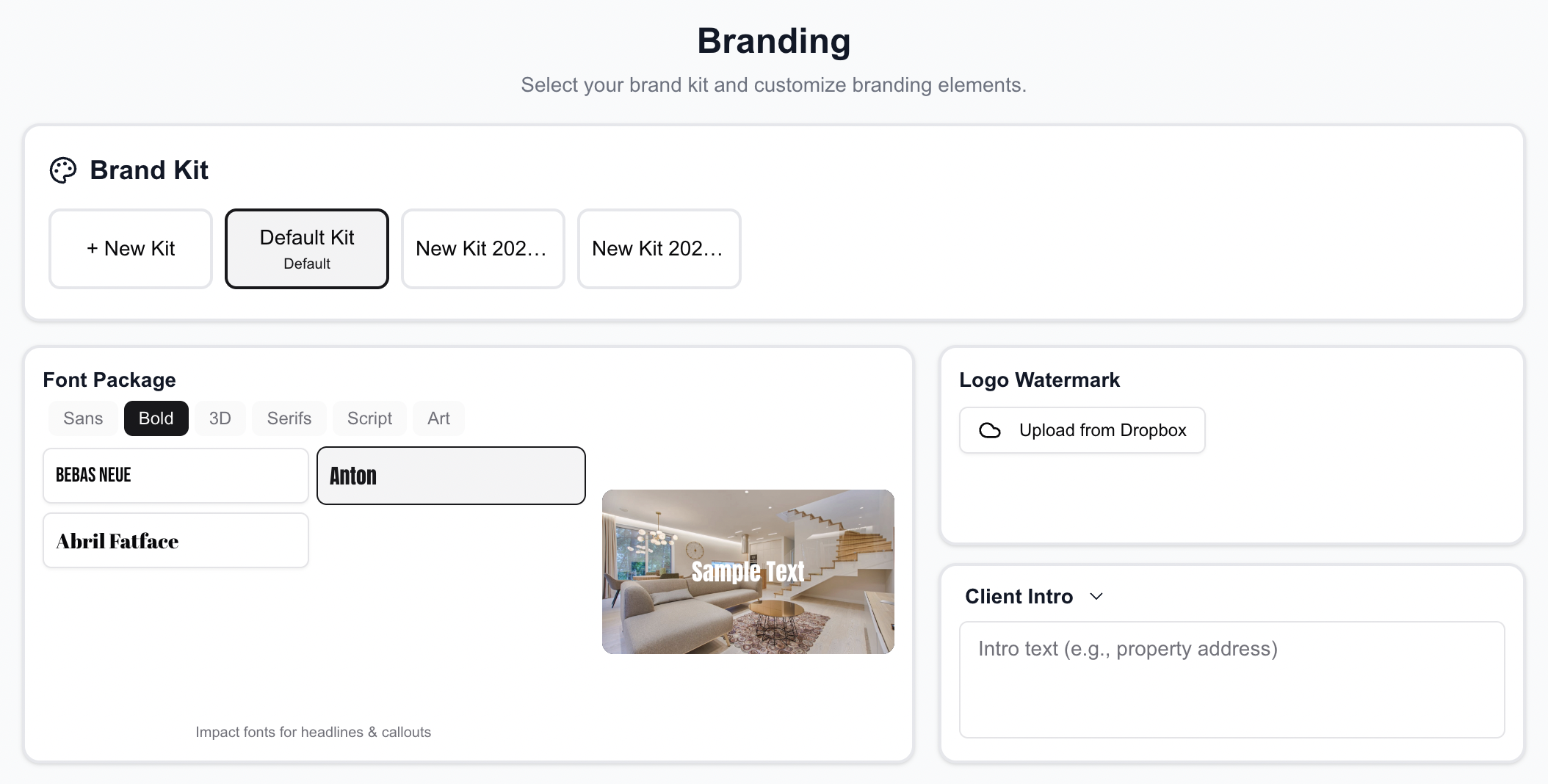
Set up your brand kit once — applied automatically to every video
- Seamless upload integration: Import directly from local storage, Dropbox, Google Drive, or Zillow listings. No manual file management.
- MLS + Social optimized: Export in 9:16 (Reels/TikTok), or 16:9 (YouTube/MLS) with one click.
Side-by-Side Comparison
| Feature | VideoGuru AI | Google Veo | Adobe Firefly | CapCut |
|---|---|---|---|---|
| Built for Real Estate | Yes | No | No | No |
| Edit Existing Video Clips | Yes | No | Yes | Yes |
| Create Video from Photos | Yes, AI-powered | Limited | No | Slideshow only |
| AI Auto-Edit (No Manual Work) | Yes, fully automated | N/A | No | Templates only |
| Real Estate Effects Library | Yes (Twilight, Staging, etc.) | No | No | No |
| AI Hallucination Prevention | Yes, optimized | No | Partial | N/A |
| Brand Kit | Full (logo, intro, outro, fonts) | No | Limited | Basic |
| Dropbox / Google Drive / Zillow | Yes | No | No | No |
| Speed Ramps & Transitions | AI-selected, real estate tuned | No | Manual | Generic templates |
| Multi-Format Export | Yes (9:16, 16:9) | Limited | Yes | Yes |
| Learning Curve | Minimal | Moderate | Steep | Easy |
| Pricing | $10-30/video | Pay-per-use | $60+/mo | Free / $10+/mo |
The Verdict: General-Purpose vs. Purpose-Built
Google Veo, Adobe Firefly, and CapCut are all impressive tools in their own right. But they were built for broad audiences — filmmakers, social media creators, marketing teams across every industry. That means you're constantly adapting a general tool to fit a specific workflow.
VideoGuru AI takes the opposite approach. Every feature — from the AI analysis engine to the transition library to the brand kit system — was designed from day one for real estate. The result is a tool that understands property videos the way you do: what makes a good opening shot, how to pace a walkthrough, when to slow down for a hero moment, and how to keep the property accurate while adding stunning visual effects.
For real estate photographers and media companies producing listings at scale, the difference between a general editor and a vertical solution isn't just convenience — it's saving thousands of dollars and hundreds of hours every month.
Ready to try the editor built for real estate? Get started with VideoGuru AI today.