
Chengran (Felix) Guan
July 04, 2026 · 8 min read
How to Shoot Listing Photos That Sell:
A Step-by-Step Agent's Guide
Key Takeaways
- Great listing photos start before you pick up the camera — preparation is 60% of the result.
- Shoot at eye level for the room's best corner, use natural light whenever possible, and keep the frame wide but not distorted.
- The three biggest mistakes agents make are bad lighting, wrong angles, and over-editing.
- AI photo editing tools can fix exposure, color, and declutter — but they can't fix a poorly composed shot.
The single best thing you can do for your listing photos is also the simplest: show up prepared. Declutter the room, open the curtains, turn on every light, and choose one strong corner to feature. The camera work after that is mostly about not messing up what you've already set up. This guide walks through the exact process — from prep to composition to editing — so you can shoot listing photos that make buyers want to book a showing.
Why Listing Photos Matter More Than You Think
According to the National Association of Realtors, 95% of home buyers search for properties online before contacting an agent. And the first thing they look at are the photos — not the description, not the price per square foot, not the list of amenities. A NAR report on home staging found that listings with professional photography sell 32% faster than those with amateur shots. But the difference isn't just between professional and amateur — it's between photos that sell and photos that don't.
Your listing photos are the first impression, and in a competitive market, they're often the only impression you get before a buyer swipes to the next property. Investing 30 extra minutes in shooting better photos can mean the difference between a pending sale in two weeks and a listing that sits for two months.
The 4 Pillars of a Great Listing Photo
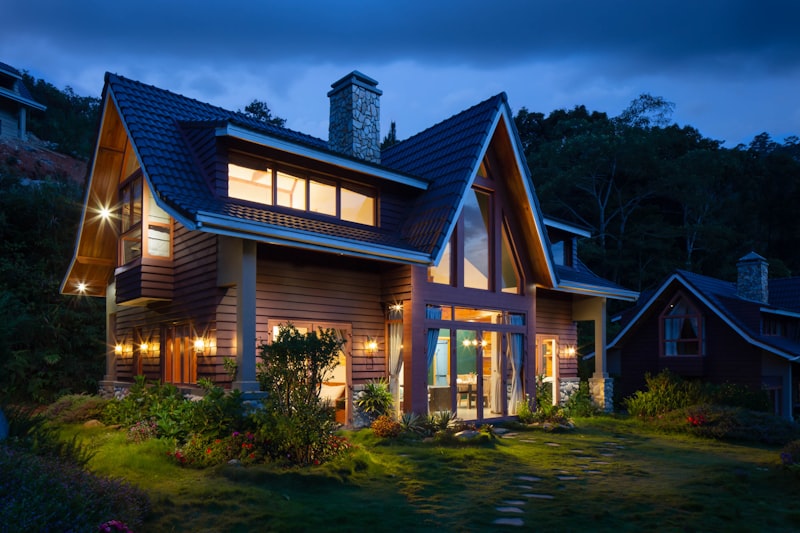
Every great listing photo — whether shot on a $50,000 Hasselblad or a 3-year-old iPhone — comes down to four things. Get these right and your photos will look professional regardless of your gear.
1. Lighting — The Most Important Element
Natural light is your best friend and your worst enemy. A room flooded with soft daylight looks spacious and inviting. A room with harsh midday sun streaming through the windows looks blown out and unwatchable.
- Shoot during golden hours — early morning or late afternoon light is softer and warmer. Midday sun creates harsh shadows.
- Turn on every light in the room — mix of ambient and artificial light balances exposure and fills in dark corners.
- Open all curtains and blinds — natural light makes rooms feel bigger. But watch for window blowout (too bright) — step back or adjust exposure.
- Use window pulls — expose for the room, not the window. If the window is too bright, pull the exposure down slightly and fix in editing.
2. Composition — Show the Best Corner
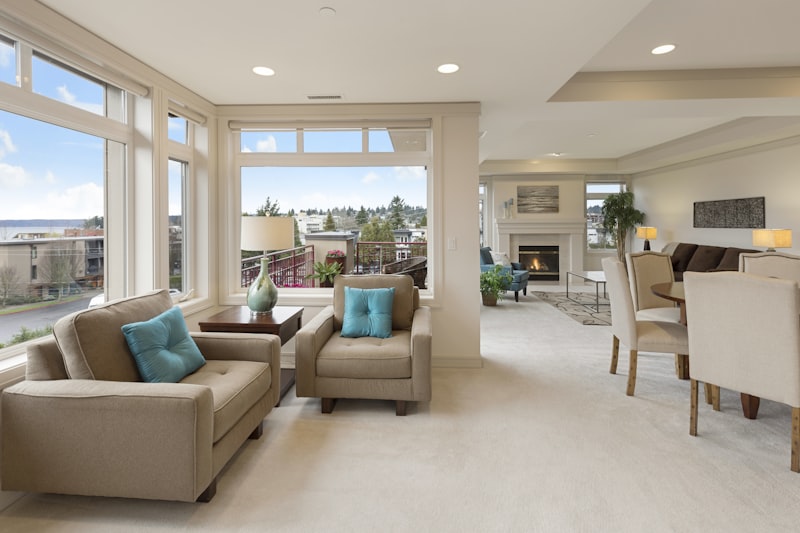
Stand in the doorway and look around. What's the most interesting corner of this room? The one with the fireplace? The built-in bookshelves? The bay window? That's your anchor. Frame the shot so that anchor is prominent and the rest of the room fans out around it.
- Rule of thirds — mentally divide the frame into a 3x3 grid. Place the room's focal point at one of the intersections.
- Leading lines — use walls, floorboards, or countertops to guide the eye into the room.
- Show depth — include foreground, midground, and background elements. A shot that just shows a wall feels flat.
3. Angles — Eye Level Is the Default
For most rooms, shoot from approximately 5 feet high — roughly eye level for an average person standing in the doorway. This feels natural to viewers. Shooting too low makes furniture look oversized and the ceiling cavernous. Shooting too high makes the room feel like a dollhouse.
The exception is small rooms. For bathrooms, powder rooms, and compact kitchens, shooting from a corner at hip height can make the space look larger by emphasizing the ceiling height.
4. Preparation — 60% of the Result
Before you take a single photo, spend 10 minutes prepping each room. Remove personal items (toothbrushes, mail, family photos). Clear countertops of everything except intentional decor. Fluff pillows, straighten rugs, hide cords. Make beds. Open closet doors slightly to show storage, but close them fully if they're messy inside.
This step alone separates amateur listings from professional ones. A virtual staging or traditional staging investment is wasted if the base photo shows clutter and poor prep.
Step-by-Step: Shooting a Room
Here's the exact process for every room, in order.
Step 1: Declutter and Stage
Remove everything that doesn't belong. Less is more. A coffee table with one vase and a stack of design books photographs better than a coffee table covered in remote controls, coasters, magazines, and a laptop. If there's furniture that crowds the room, move it out temporarily.
Step 2: Set Your Camera
Set your phone or camera to its widest lens setting (0.5x on most phones). This captures more of the room. Tap to focus on a mid-toned area — not the window (too bright) and not a dark shadow. If your phone has a "pro" mode, set ISO to 100 and let the shutter speed adjust automatically for clean, noise-free images. If not, standard auto mode works fine for well-lit rooms.
Step 3: Frame the Shot
Stand in a corner or doorway. Hold the phone at chest height. Keep the camera level — tilted shots look amateur. Include two walls to show depth. Make sure the floor-line is straight (not sloping). Check that nothing is cut off awkwardly — a sofa with one arm missing looks like a mistake.
Step 4: Check Your Exposure
Take a test shot. If windows are completely white (blown out), tap on the brightest part of the window to expose for it — the room will go darker, but AI photo editing can bring shadows back up. If the room looks dingy, turn on more lights or open curtains wider. Check that skin tones in the room (if any) look natural — that's a good reference point for overall color accuracy.
Common Mistakes Agents Make
Mistake 1: Bad Lighting
The most common killer of listing photos. Harsh overhead lighting creates unflattering shadows. Mixed color temperatures (warm lamps + cool ceiling lights) create a muddy, unprofessional look. Solution: turn off overhead lights and rely on natural daylight plus warm accent lamps. Or replace cool bulbs with warm LEDs (2700K–3000K) throughout the property.
Mistake 2: Wrong Angles
Standing too far back makes a room look small. Standing in the center of a wall makes it look like a hallway. Shooting from a corner with two walls visible is almost always the best angle. If you're using your phone's wide-angle lens, check the edges for distortion — furniture can look bent near the edges.
Mistake 3: Over-Editing
HDR effects that turn windows into glowing white squares, oversaturated grass that looks neon green, and shadows lifted so far that the room looks like it was shot in a fog. Buyers notice. When they tour the property and it doesn't match the photos, you've broken trust. Edit for clarity and realism, not drama. A good rule: if it looks edited, it's over-edited.
When to Hire a Professional vs Go DIY
Let's be honest — some listings deserve a professional photographer and some don't. Here's how to decide:
| Shoot It Yourself | Hire a Pro |
|---|---|
| Rental properties | Luxury listings ($750K+) |
| Vacant land / lots | Unique architectural properties |
| Price-flips with fast turnaround | Listings over $1M with high commission stakes |
| Low-commission or flat-fee listings | Properties that need drone or twilight shots |
Even when you hire a pro, knowing good photography from bad helps you brief them effectively. Read our guide on how photographers scale their production to understand what pros bring to the table.
AI Photo Editing: Your Secret Weapon
Here's where technology bridges the gap between amateur shooter and professional result. Modern AI photo editing tools can fix most of the common issues in agent-shot photos:
- Auto exposure correction — balances window brightness with room shadows in one click.
- Color temperature matching — fixes mixed lighting so all photos in a listing have consistent warmth.
- Declutter and object removal — removes that stray water bottle or outlet cover you missed during prep.
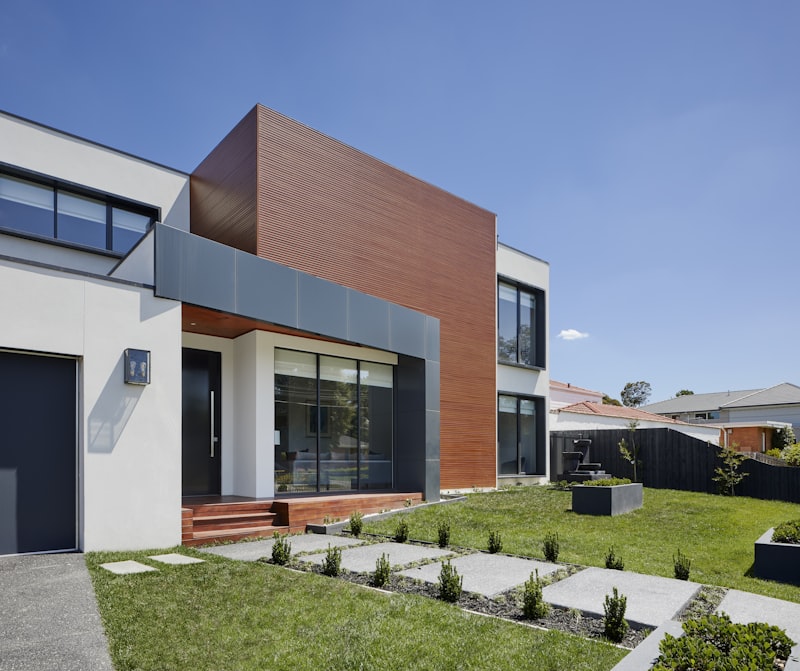
- Sky replacement — turns an overcast day into a blue-sky shot for exterior photos.
- Horizontal leveling — straightens tilted shots automatically.
Platforms like VideoGuru offer AI-powered photo enhancement that handles all of these corrections in seconds. If you're shooting your own listings, AI editing isn't a shortcut — it's a necessity. Compare the cost of DIY media production vs professional results to see where AI tools fit in your budget.
Frequently Asked Questions
Can I use my phone for listing photos?
Yes. Modern smartphones (iPhone 13+, Samsung Galaxy S22+, Google Pixel 6+) have ultra-wide lenses and computational photography that produce listing-ready images in good light. The camera matters far less than lighting, composition, and prep. A well-shot iPhone photo beats a poorly-shot DSLR photo every time.
Should I edit my own listing photos?
Only if you have a quick, reliable tool. Manual editing in Lightroom takes 5-10 minutes per photo — and a 20-photo listing costs you 2+ hours. AI tools process the entire set in seconds. The key is to edit for consistency (all photos should look like they belong to the same listing) and realism (accurate colors and exposure). If you're spending more time editing than shooting, you're doing it wrong.
What's the one thing I should stop doing immediately?
Using the flash. Built-in phone flash creates harsh, flat, shadowless light that makes every room look like a motel. Turn flash off permanently for interior listing photos. If a room is too dark, add artificial light (table lamps, floor lamps) or shoot during a brighter time of day.
Putting It All Together
Great listing photos don't require expensive gear or years of photography training. They require a system. Prep the room, use natural light, pick the right angle, shoot level and wide, and let AI editing handle the rest. That system takes 10 minutes per room and produces photos that make buyers stop scrolling.
For agents who want to take it further, explore how AI video editors are changing real estate media — because the same principles apply when you're ready to move from stills to video walkthroughs.