

Chengran (Felix) Guan
July 02, 2026 · 7 min read
How to Scale Real Estate Video Production Without Burning Out
Scaling real estate video production is not really about becoming a faster editor. In real estate media, many photographers already outsource video editing. The real constraint is the operating system around that outsourcing: how footage is captured, packaged, briefed, reviewed, revised, and delivered.
The highest-leverage path is simple: standardize your shoot, give editors repeatable inputs, use AI for the mechanical first pass, and keep humans focused on taste, quality control, and client-specific judgment. That is how a solo photographer or small media team can move from a few videos a week to a reliable production pipeline without burning out or letting quality drift.
Key Takeaways
- Most real estate photographers do not need to edit everything themselves. The scalable model is a tighter outsource-and-review pipeline.
- The bottleneck is inconsistent inputs. Editors slow down when every shoot arrives with a different shot order, naming convention, music direction, and revision style.
- Templates protect margin. Branded intros, lower thirds, pacing rules, music categories, export specs, and review checklists make each outsourced edit easier to repeat.
- AI should sit before the human editor. Scene detection, rough trimming, color matching, captions, and format exports are mechanical jobs. Let AI do the first pass, then let the editor polish.
- Do not base your business on fake precision. Editing rates vary by market, style, turnaround, and revision scope. Model costs as ranges and measure your own effective cost per delivered video.
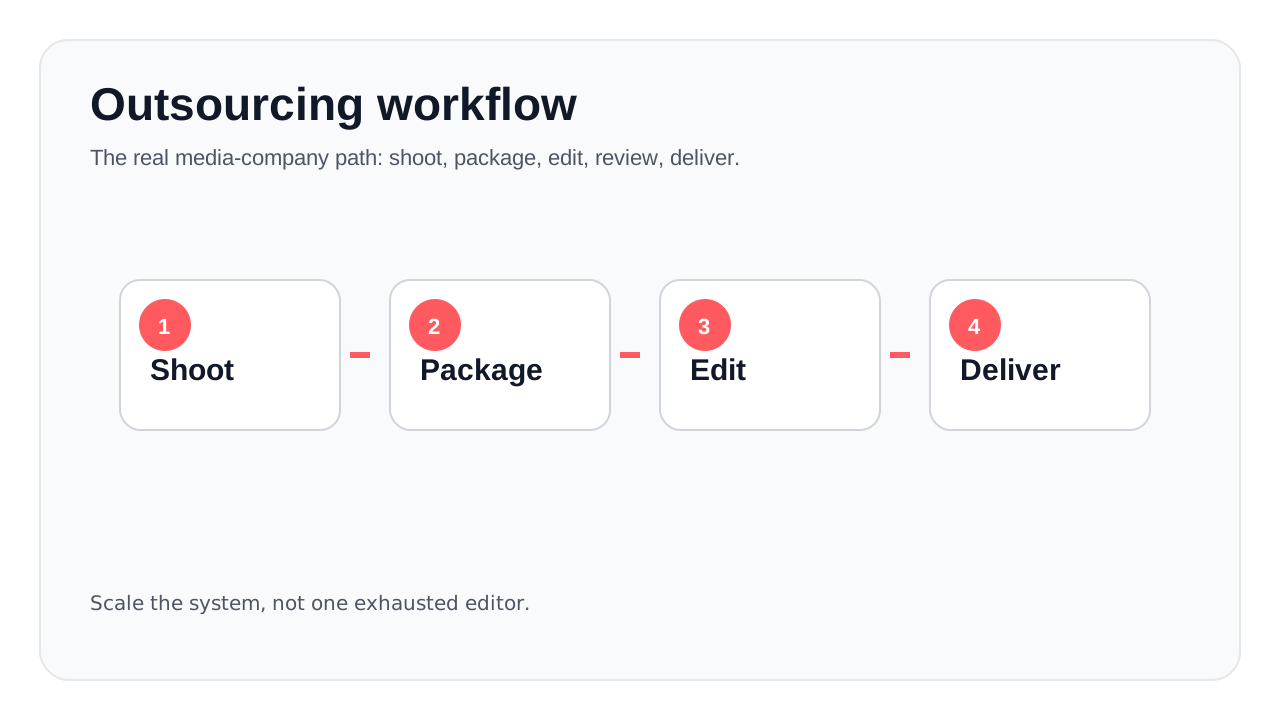
A scalable video business is an operating system: shoot, package, edit, review, deliver.
The Outsourcing Reality in Real Estate Media
A lot of real estate photographers do not sit down every night and edit every video themselves. The common workflow is closer to this: shoot the listing, offload footage, send it to an in-house editor, freelancer, white-label editor, or offshore team, then review the cut before delivery.
That changes the scaling problem. The question is not, “How do I personally edit faster?” The better question is, “How do I make every outsourced edit easier to execute, easier to review, and less dependent on one specific editor’s memory?”
Editing prices vary too much to pretend there is one universal rate. A simple walkthrough, a cinematic luxury listing, a same-day social reel, and a full property film are different products. Rates depend on complexity, footage quality, market, editor location, turnaround, number of revisions, and whether color, captions, music, thumbnails, and social cutdowns are included.
So use a range-based model instead of a fake exact number. If your outsourced editing costs $40–$150 per delivered video, then 20 videos a month is a $800–$3,000 monthly editing line item before revisions. The goal of automation is not to “replace the editor.” The goal is to reduce the amount of low-value editor time attached to each delivery.
Batch Shooting: Make Footage Easier to Edit
Batch shooting is not only about saving drive time. It also makes your editor faster. When three or four properties are shot with the same camera settings, shot order, room coverage, and pacing, the editor can work from pattern recognition instead of solving a new puzzle every time.
A good batch shooting system includes:
- Geographic grouping: Schedule nearby properties together so the day has fewer dead zones.
- Consistent shot order: Exterior, entry, living, kitchen, primary suite, secondary rooms, backyard, amenities, closing hero shot.
- Stable camera settings: Keep exposure, white balance, frame rate, and movement style consistent unless the room demands a change.
- Reusable B-roll: Capture neighborhood footage, signage, parks, streetscapes, and amenities once, then reuse where appropriate.
- Clean file naming: Use property address, date, room labels, and take numbers so editors do not waste time decoding folders.
The less interpretation your editor has to do, the less expensive and more predictable your post-production becomes.
Build an Editor Brief, Not Just a Dropbox Folder
Most outsourcing problems come from weak handoff. Photographers send a folder of clips and expect the editor to infer the client, listing style, platform, pacing, music, title treatment, and revision priorities. That works with one editor who knows your taste. It breaks when you scale.
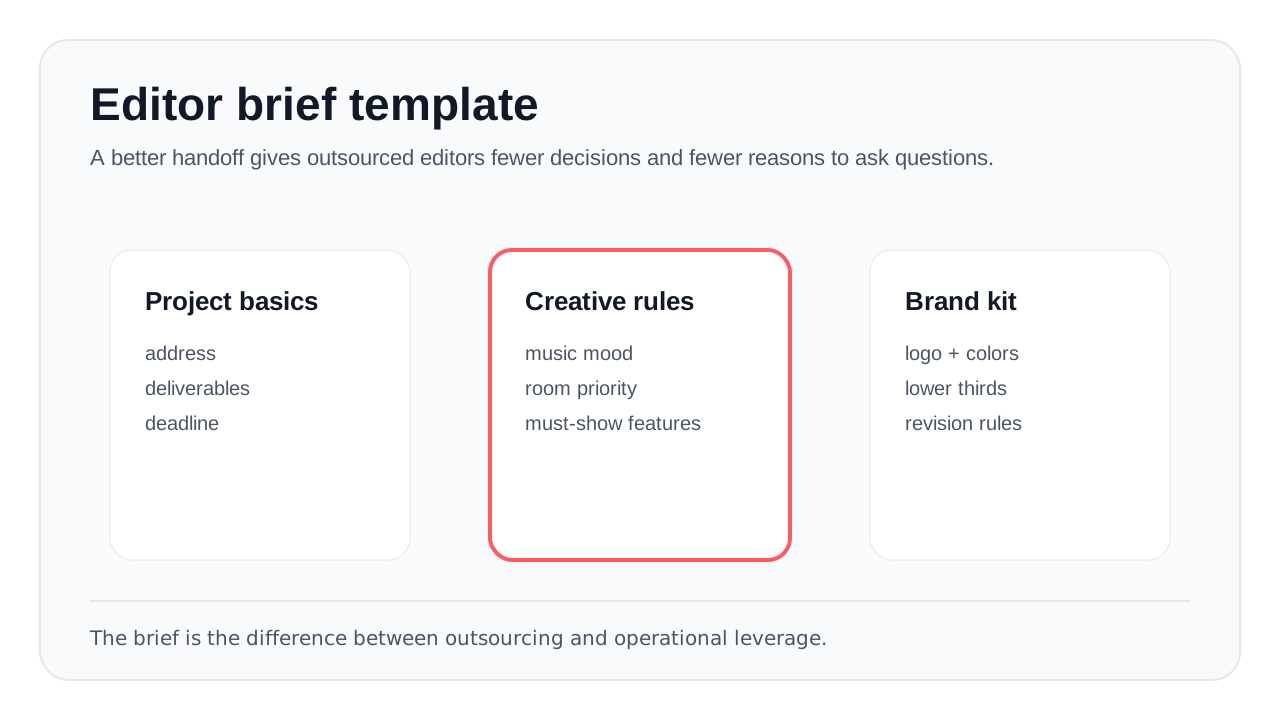
Templates turn outsourced editing from a guessing game into a repeatable production process.
Every editor brief should include:
- Deliverables: 60-second vertical reel, 90-second listing video, 16:9 YouTube version, square feed cut, or all of the above.
- Property positioning: starter home, family home, luxury listing, investor property, new construction, rental, or land.
- Style rules: pacing, transition style, music mood, color look, text overlay style, and whether to use speed ramps.
- Must-show features: view, kitchen island, pool, ADU, staging, renovation detail, neighborhood amenity, or agent intro.
- Brand kit: logo, agent headshot, colors, fonts, contact details, brokerage requirements, and compliance notes.
- Revision rules: what counts as an included revision, what is out of scope, and who approves the final cut.
Template-Based Editing: Standardize the Repeated Parts
Templates are how you stop paying editors to rebuild the same structure. Every real estate video has repeated components: opener, establishing exterior, room sequence, feature callouts, agent branding, music, captions, and end card. Standardize those pieces once.
| Template Asset | What It Standardizes | Why It Matters |
|---|---|---|
| Intro + end card | Logo, address, agent CTA | Prevents branding drift across editors |
| Room sequence | Exterior → entry → main rooms → outdoor | Makes reviews faster because the story structure is familiar |
| Lower thirds | Address, feature callouts, agent info | Keeps typography consistent |
| Music buckets | Luxury, modern, warm family, upbeat social | Cuts subjective back-and-forth |
| Export presets | 9:16, 1:1, 16:9, captions on/off | Prevents platform delivery mistakes |
For platform specs, keep a simple reference doc for your editors. YouTube’s upload guidance, Google’s video SEO documentation, and Google Business Profile are useful starting points for format and distribution requirements.
Use AI for the First Pass, Not the Final Judgment
AI is most useful when it sits before the human editor. It can create a structured first pass: detect scenes, trim dead footage, balance color, sync music, generate captions, and prepare exports. Then the editor reviews the draft for taste, flow, brand fit, and client-specific context.
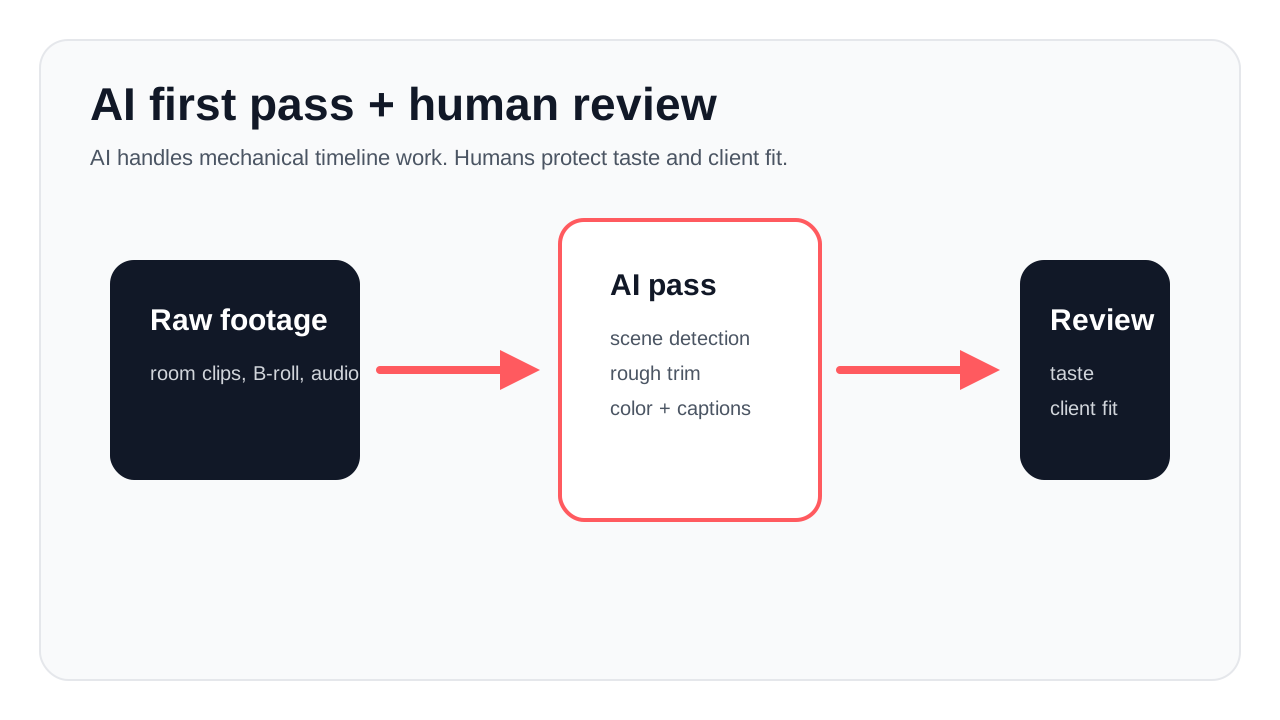
The right model is AI pre-processing plus human review — not blind automation.
Use AI for:
- Scene detection and rough trimming
- Removing unusable clips and dead time
- Color matching across rooms
- Music alignment and pacing suggestions
- Caption generation
- Vertical, square, and horizontal export variants
- AI visual enhancements such as twilight looks, declutter, virtual staging, or furniture changes
Keep humans responsible for:
- Property story and room priority
- Agent brand taste
- Luxury pacing and emotional tone
- Compliance-sensitive claims
- Final review before client delivery
This is where VideoGuru fits the real workflow. It does not assume photographers want to become full-time editors. It helps turn raw property media into a structured first draft so the editor or media team can spend less time on repetitive timeline work and more time on judgment. Beyond video, VideoGuru’s photo editing tools support one-click virtual staging, declutter, furniture swaps, and decor changes for still listing images, so the same production pipeline can handle both video and photo deliverables.
A Better Cost Model: Measure Effective Editing Cost
Do not manage your business around a single editing rate. Manage it around effective editing cost per delivered asset.
| Workflow | Human Role | Cost Behavior | Risk |
|---|---|---|---|
| Raw footage → full outsourced edit | Editor does everything | Costs rise linearly with volume | Quality depends heavily on editor availability |
| Template + outsourced edit | Editor follows a system | Lower revision time and fewer mistakes | Templates can become stale |
| AI first pass + human review | Editor polishes and approves | Mechanical editing time falls; review becomes the main cost | Needs quality control checklist |
| AI + internal production manager | Manager reviews batches | Best leverage at higher volume | Requires strong SOPs |
Track four numbers every month: edit spend, delivered videos, revision count, and average turnaround. Divide total edit spend by accepted final assets, not by first drafts. That gives you the real number that matters.
People Also Ask
Should real estate photographers outsource video editing?
Yes, if video demand is consistent and your time is better spent shooting, selling, and managing client relationships. Outsourcing becomes a problem only when the handoff is vague. A strong shot list, editor brief, template pack, and review checklist make outsourcing scalable.
Can AI replace outsourced real estate video editors?
AI can replace parts of the editing process, not the entire editorial judgment layer. It is strong at scene detection, rough cuts, color matching, captions, and export versions. It is weaker at taste, property story, client nuance, and final approval. The practical model is AI first pass plus human review.
How many real estate videos can one photographer deliver per week?
It depends on how much of the pipeline is standardized. A photographer doing custom manual edits may hit a ceiling quickly. A photographer who batches shoots, uses templates, relies on an outsourced editor, and uses AI for the mechanical first pass can handle much more volume because the work is no longer tied to one person editing every timeline from scratch.
A 30-Day Plan to Improve Your Production Pipeline
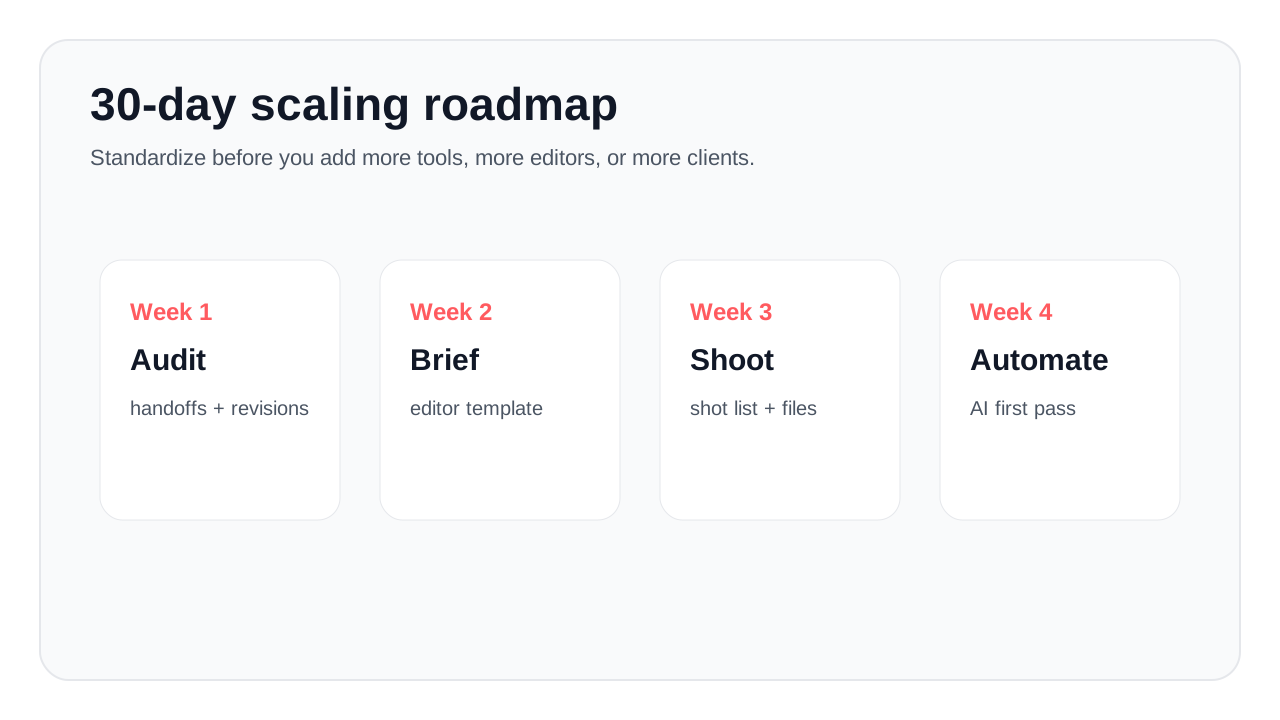
Start with standardization before you add more tools or more editors.
- Week 1: Audit your current handoff. Pick five recent projects. Note where editors asked questions, where revisions came from, and which assets were missing.
- Week 2: Build your editor brief template. Include deliverables, style, must-show features, brand kit, export formats, and revision rules.
- Week 3: Standardize your shoot and file structure. Use the same folder names, shot order, camera settings notes, and property metadata every time.
- Week 4: Add AI to the first-pass layer. Start with scene detection, captions, color matching, and social export variants. Keep your editor in the review loop.
Final Thoughts
The real estate media companies that scale are not the ones with the fastest individual editors. They are the ones with the clearest systems. They shoot consistently, package files cleanly, brief editors properly, automate mechanical tasks, and review with a repeatable quality bar.
If your current process depends on one overworked editor, one overloaded photographer, or one person remembering every client preference, it will break as volume grows. Build the system before the volume arrives.
VideoGuru is built around that reality: AI handles the repeatable production work across video and listing photos, while your team keeps control of the final creative judgment. That is the practical path to producing more real estate media without lowering your standard.
For related reading, see Real Estate Video Cost: DIY vs AI Alternative and AI Video Effects for Property Tours: Do They Stand Out?.