Preview the sample or upload your exterior
Flip between the daytime and twilight versions of the sample, or upload a front exterior photo taken in daylight. A clear sky and visible windows give the best result.

Free tool
Compare a daytime exterior with its twilight version, then preview your own photo. Generating the twilight version takes a free VideoGuru account, and the free plan includes a limited number of photo edits.
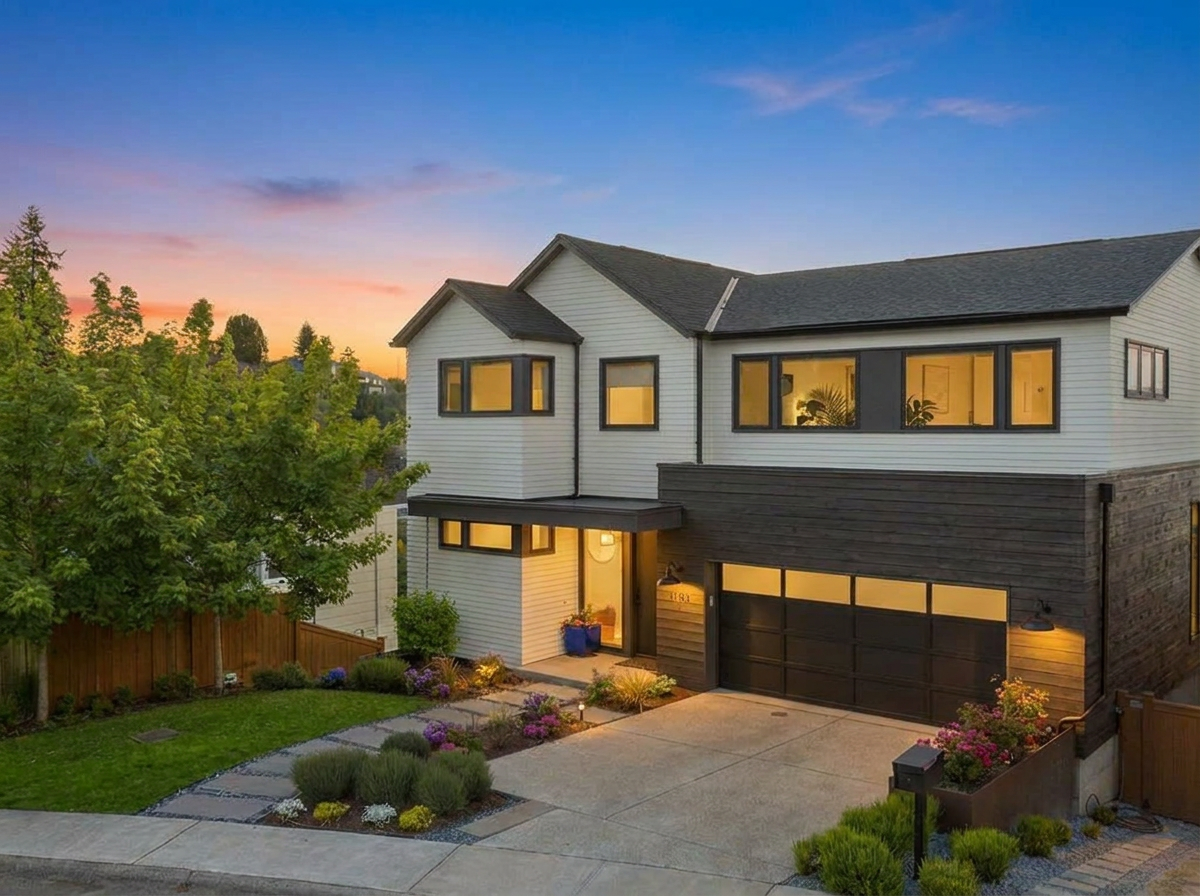
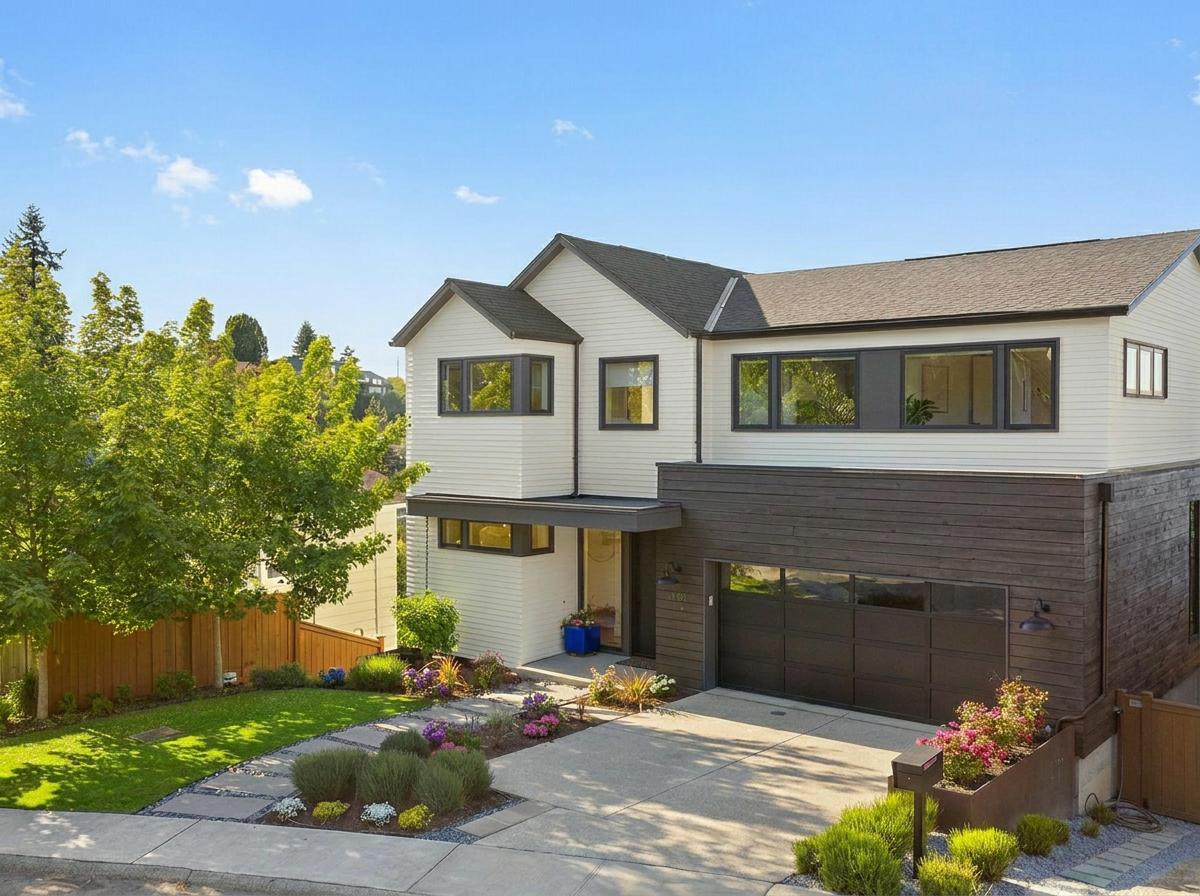
Daytime exterior → Twilight. Drag the divider to compare.
Quick answer
Virtual twilight is a photo edit that turns a daytime exterior into an evening-style image, with a dusk sky and a warmer, more cinematic feel. It gives a listing a twilight hero shot without a second photo session at the right time of day. On this page you can compare a sample before and after and preview your own exterior photo. To generate the twilight version, create a free VideoGuru account. The free plan includes a limited number of photo edits, and you can use the result in a listing video.
Flip between the daytime and twilight versions of the sample, or upload a front exterior photo taken in daylight. A clear sky and visible windows give the best result.
Your photo appears in the preview area so you can confirm the framing before generating anything. No edit runs until you create an account.
Sign up for a free VideoGuru account, choose the virtual twilight edit, and review the before and after side by side.
Download the twilight photo for the listing, or select it in the photo-to-video workflow. You can also apply a Twilight viral effect to a clip in the video itself.
Virtual twilight, sometimes called AI twilight, is a photo edit that turns a daytime exterior into an evening-style image. The daytime sky becomes a dusk gradient, the overall exposure drops to match, and the house reads as if it were photographed in the short window after sunset. Windows typically appear lit from inside so the home looks occupied and warm. The goal is a believable version of a real twilight photo, not a night scene.
Agents use virtual twilight real estate photos as the hero image for a listing because they stand out in a feed of daytime exteriors. A twilight image can make an exterior feel warmer, more cinematic, and easier to remember, which is the effect you want on the first photo a buyer sees.
On this page, browsing the sample and previewing your own photo is free without an account. Generating the twilight version of your photo requires a free VideoGuru account. The free plan includes a limited number of photo edits, and photo editing generations beyond that limit use credits based on your plan. Check the pricing page for current limits rather than relying on this page for numbers.
The edit works best on a front exterior shot in daylight with a clear or lightly clouded sky, the whole facade in frame, and windows visible from the camera position. Those windows are what sell the effect, because lit windows against a dusk sky are the signature of a real twilight photo. A straight-on or slight three-quarter angle taken from the street or driveway is the typical strong input.
It works less well on photos where the sky is barely visible, such as a tight shot under heavy tree cover or a townhouse framed by taller buildings. It also struggles when the exterior has few or no windows facing the camera, because there is nothing to light and the result can look like a darkened daytime photo. Overcast, flat lighting is workable but produces a less dramatic gradient.
Interiors, aerial shots, and backyard photos without a clear horizon are poor candidates. Photos with people, moving cars, or strong harsh shadows across the facade also tend to show artifacts, since the shadows contradict the evening light. When in doubt, shoot the front exterior in even daylight and use that as your source.
Traditional twilight real estate photography means returning to the property in the twenty or so minutes after sunset, turning on every interior light, and timing the exposure while the sky is still blue. It produces the most authentic result, and for a luxury listing with a strong facade it is often worth the second trip.
Virtual twilight starts from a daytime photo you already have, so there is no second session, no weather risk, and no waiting for a clear evening. You can generate it the same day the daytime photos come back. That makes it practical for the majority of listings where a real twilight shoot was never going to be scheduled.
The trade-off is control. A real twilight lets the photographer choose which rooms glow and how bright, and captures exterior fixtures, landscape lighting, and reflections as they actually are. A virtual twilight interprets the daytime photo, so review it before publishing. Check that windows, rooflines, and fixtures still match the property and that nothing permanent has changed. Keep the daytime original alongside it, and label the image as digitally altered where your MLS or brokerage requires it.
A twilight photo earns its keep twice. Once as the listing hero image, and again as the opening or closing frame of the property video. VideoGuru gives you two ways to get it there.
The first is to edit the photo, then select it in the photo-to-video workflow with the rest of the listing images. Edited photos are marked with a star so they are easy to spot when you order the story. The twilight exterior works well as the first frame, so the video opens on the strongest image.
The second is to apply the Twilight viral effect to a clip inside the video itself. Viral effects turn a walkthrough into a more memorable visual story, and Twilight is one of the effects designed for a cinematic exterior moment. In Quick Edits, use VFX on a clip, choose Twilight, and press Update Video to generate and insert it. A viral effect counts as one clip update. Viral effects do not use credits, but each video has a plan-specific limit on how many you can add across creation and later edits.
Select the twilight photo with the rest of your listing images and VideoGuru turns them into a property video with camera motion, music, and your branding. You can also apply the Twilight viral effect to a clip inside the video.
Free plan includes 2 videos per month.
Viewing the sample and previewing your own photo on this page is free with no account. Generating the twilight version of your photo requires a free VideoGuru account, and the free plan includes a limited number of photo edits. Beyond that allowance, photo editing generations use credits based on your plan. See the pricing page for current limits.
Stage an empty room photo with AI and preview the result before you sign up.
Open toolGet a short-form video script for a listing, market update, or intro video.
Open toolTurn property details into a polished, MLS-ready listing description.
Open toolTurn your listing photos into a real estate video in minutes. Upload photos, set the order, choose 9:16 or 16:9, add music and branding, then export an MP4.
Read guideCreate a real estate walkthrough video from listing photos. Order the photos as a walk through the home, add camera motion, transitions, music, and branding.
Read guideLast updated September 14, 2026. Outputs are generated by AI and should be reviewed before publishing. See all free tools.