

Chengran (Felix) Guan
2026-08-25 · 9 min read
Listing Photo Mistakes That Hurt Conversions:
Fix These Before You Upload
Listing photos decide whether buyers click, and the mistakes that kill conversions come down to seven recurring problems: dark rooms, clutter, weak angles, over-processed edits, a missing hero shot, inconsistent color, and photos that don't match your video. Buyers scroll fast, and 97% of them start the search online, according to NAR research. A single dark or confusing first photo can end the click before your listing gets a fair look. The fix is straightforward: shoot with light in mind, clean every room, keep edits honest, and make the whole set feel like one home. Here are the seven mistakes and how to fix each one.
Key Takeaways
- Bad photos suppress clicks, showings, and offers — no listing copy can rescue a dark first photo.
- The seven recurring mistakes: dark rooms, clutter, weak angles, over-processed edits, missing hero shots, inconsistent color, and photo/video mismatch.
- Most fixes are cheap: shoot with available light, declutter before the shoot, keep edits natural, and color-match the full set.
- AI photo editing fixes lighting, color, and clutter after capture — but it cannot fix blur, wrong angles, or rooms you never shot.
- Brief your photographer in writing and review the finished set against a checklist before you upload.
Why Listing Photos Decide Whether Buyers Click
NAR's research consistently finds that more than 9 in 10 home buyers begin their search online — 97% in the latest Generational Trends report. That means your listing's first impression is not the front door. It is a thumbnail in a search grid, competing with twenty other thumbnails on the same screen.
Listing portals have published the same finding for years: listings with more photos and stronger images earn more views. Realtor.com's research and Zillow's research both track how buyers interact with listing media, and the pattern is consistent — buyers glance before they study. A photo that is dark, cluttered, or confusing gets skipped in that glance, and the listing gets fewer showings requests.
There is a second reason photo quality matters in 2026: photos feed video. If you turn listing photos into a walkthrough or social clips, every mistake in the stills is preserved and amplified in the video. Fix the photos and you fix both formats at once.
Mistake #1: Dark, Underexposed Rooms
The most common listing photo mistake is simple: the room looks like a cave. When a camera exposes for a bright window, the interior falls to black. Buyers cannot judge a room they cannot see, and they will not click through to find out what is in the shadows.
Fix it at the shoot: schedule photos when daylight is balanced (mid-morning or late afternoon), turn on interior lights, and expose for the interior while recovering the window in post. If the photos already exist, AI enhancement can lift exposure and recover detail — the same way AI photo editing for real estate rescues dark shots in minutes. What AI cannot fix is a photo that is blurry or badly framed, so re-shoot those rather than forcing them.
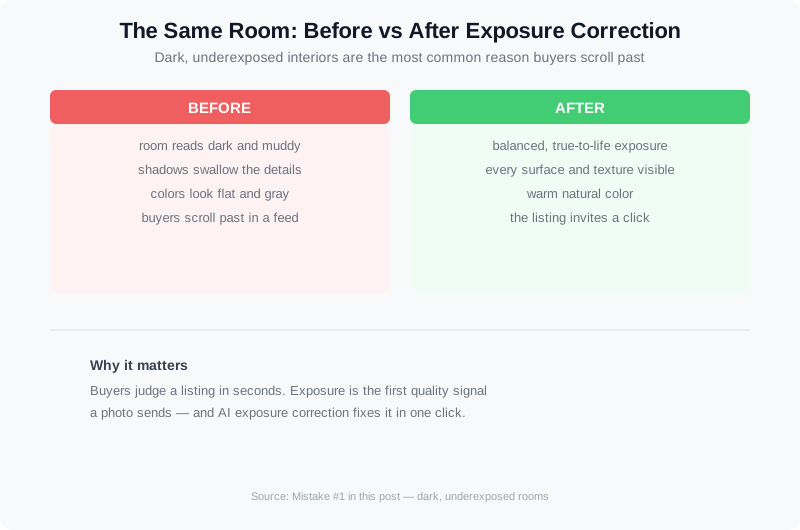
The same room before and after exposure correction. Dark interiors are the most common reason buyers scroll past a listing.
Mistake #2: Clutter and Personal Items
Buyers cannot see past clutter. Family photos, countertop appliances, open closets, and personal items make the home feel like someone else's life — and buyers want to picture their own. Cluttered rooms also photograph smaller, because the eye has nowhere to rest.
Fix it before the camera arrives: a 20-minute declutter per room removes the obvious items — small appliances, toiletries, mail, personal photos. If the listing is already shot, AI object removal can delete distracting items from the finished photos in a single pass, which is faster than rebooking a shoot.
Mistake #3: Weak Angles and Composition
Straight-on wall shots, doorways cutting through the frame, and tilted verticals make a home look amateur. Buyers interpret sloppy composition as sloppy maintenance — even if the home is flawless in person.
Fix it with three habits: shoot from corners instead of walls (a corner-to-corner view shows the room's true size), keep the camera level so walls stay vertical, and capture three to four angles per room. For a full walkthrough of framing and lighting, see our step-by-step guide to shooting listing photos that sell.
Mistake #4: Over-Processed, Unrealistic Edits
Over-processing means pushing an image past reality: neon skies, glowing lawns, or rooms that look like renderings instead of photographs. It is the fastest way to lose buyer trust, because the disappointment happens in person, at the showing, where you can't fix it.
Over-processed images also carry compliance risk. MLS rules and state disclosure laws are tightening around edited photos, and an image that misrepresents a property can draw complaints or disclosure obligations. Our AI photo disclosure rules for 2026 walks through what must be labeled and what must be avoided. The rule of thumb: edit the home to look its best, not to look like a different home.
Mistake #5: Missing the Hero Shot
The hero shot is the exterior or curb-appeal photo that leads the set — and it is the thumbnail most portals show first. Listings that open on a closet or a hallway waste their best marketing moment. A strong hero shot stops the scroll; a weak one ends it.
Fix it by shooting the front exterior first, in the best light of the day (early morning or golden hour), and include one straight-on shot plus one angled shot that shows the property's depth. If the exterior is unfinished or cluttered, stage the yard the way you would stage a room.
Mistake #6: Inconsistent Color Across the Set
When every photo has a different white balance — one room warm, the next cold, the exterior oversaturated — the set looks like it was shot in different houses. Buyers notice the inconsistency even when they can't name it, and it reads as carelessness.
Fix it in two steps: shoot with consistent camera settings across the whole property, then color-match the entire set in post so every image shares the same tone. AI color grading handles this automatically across 30 or 40 photos in one batch, which is why professional sets feel cohesive while DIY sets feel random.
Mistake #7: Photos and Video That Don't Match
Buyers increasingly watch the video before they call. If your video looks like a different property than your photo set — different lighting, different color, different rooms — the listing loses credibility at the exact moment it needs to convert.
Fix it by treating photos and video as one media package. Use the same corrected photos as the source for your walkthrough, keep the same color grade across both, and match the order of rooms. Our guide to turning listing photos into listing videos shows how to build a video from the photo set, and when video matters more than photos helps you decide where to spend your budget per listing.
Why listing photos matter more than you think — quality images are the difference between a click and a scroll.
How to Brief Your Photographer to Avoid These Mistakes
Most of these mistakes are preventable with a written brief. A one-page brief costs you ten minutes and saves a reshoot: list the must-have shots, name the hero shot, specify the edit style (natural, not over-processed), and set delivery specs like resolution and file format.
Include the room order you want in the final set, flag any problem areas (dark rooms, dated fixtures, cluttered spaces) that the photographer should handle carefully, and confirm whether virtual staging or decluttering edits are approved. If you are hiring or managing a photographer for the first time, our guide to hiring and managing a real estate photographer covers vetting, briefing, and getting consistent results.
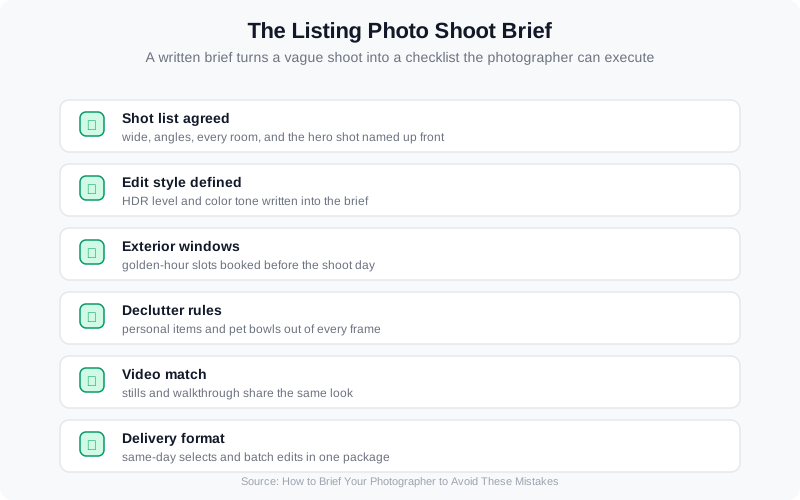
A written brief turns a vague shoot into a checklist the photographer can execute without guesswork.
How AI Fixes Listing Photo Quality
AI photo editing has changed what is fixable after the shoot. Modern tools reliably handle the four mistakes that used to force reshoots: exposure correction for dark rooms, object removal for clutter, color matching across a full set, and sky replacement for washed-out exteriors. AI virtual staging can also furnish an empty room for buyers who cannot visualize the potential — see our ROI comparison of virtual staging.
What AI still cannot fix is equally important: blur, wrong composition, and rooms that were never photographed. Those need a reshoot, no matter how good the tool is. The practical workflow is to shoot the full home, then use AI to finish the set — not to shoot poorly and hope AI rescues it.
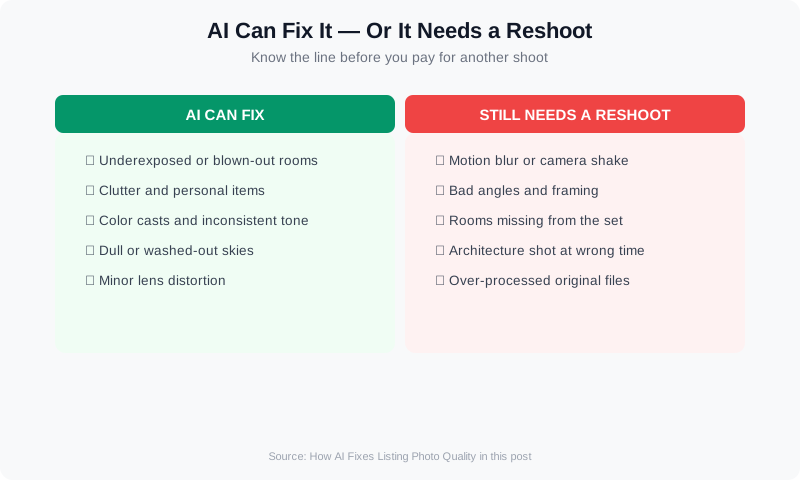
AI fixes exposure, clutter, color, and skies. Blur, bad angles, and missing rooms still need a reshoot.
This is where a platform like VideoGuru earns its place in your workflow. VideoGuru is an AI real estate media platform — beyond video, its photo editing tools give you one-click virtual staging, decluttering, and color correction for still images. The same AI that powers your video walkthroughs also handles your listing photography, so photos and video come out of one system with one look.
Frequently Asked Questions
Do bad listing photos really affect the sale?
Yes, and the effect shows up early in the funnel. Since roughly 97% of buyers search online (NAR), photos are the first filter — listings with dark, cluttered, or confusing photos get fewer clicks, fewer showing requests, and less time on page. Portal research consistently links photo count and quality to listing views. Bad photos do not just make the home look worse; they reduce the number of buyers who ever see it.
How many photos should a listing have?
Enough to cover every room plus the exterior, and most MLSs allow 25 to 50 photos — use them. A typical professional package runs 30 to 40 images: exterior and hero shots, every room from two or three angles, and detail shots of finishes. Gaps in the set read as something to hide. When you fill the set, keep the order logical: exterior first, then rooms in walking order through the home.
Can AI fix a bad listing photo, or should we reshoot?
AI fixes lighting, color, clutter, and skies reliably. It cannot fix blur, wrong angles, distorted perspective, or rooms that were never photographed. The deciding question is whether the photo has the information a buyer needs: if the room is sharp and complete but dark, AI fixes it; if the angle hides half the room, reshoot. Using AI to finish a good shoot beats using it to rescue a bad one.
Are over-processed photos a compliance risk?
They can be. MLS rules and state disclosure laws increasingly require that AI-edited or manipulated images be labeled, and an image that materially misrepresents the property can draw complaints or disclosure obligations. Over-brightened rooms, added furniture, or altered exteriors are the common problem areas. Keep edits honest, label AI-generated content, and check your local MLS rules before publishing.
Ready to put these fixes into practice on your next listing? VideoGuru's AI photo editing tools can brighten dark rooms, remove clutter, and color-match a full photo set in minutes — right alongside the AI video tools that turn those photos into walkthroughs and social clips. Start for free at VideoGuru.
Putting It All Together
- Shoot for light: schedule around balanced daylight and expose for the interior.
- Declutter before the camera arrives — or remove objects with AI after.
- Compose from corners, keep verticals straight, and capture three to four angles per room.
- Edit honestly: natural colors, no neon skies, disclose AI edits.
- Lead with a strong hero shot of the exterior.
- Color-match the full set so every image looks like the same home.
- Keep photos and video consistent — one look across both formats.
None of these fixes requires a bigger budget or a fancier camera. They require a checklist, a written brief, and a review pass before you upload. Do that on every listing and your photos will stop costing you clicks — and start earning them.




